Spark Tutorial (Part 3) - Converting Between Spark and Pandas DataFrames
Introduction
Converting Between PySpark and Pandas
Most people working with data probably picked up Pandas long before they ever touched PySpark. And honestly, for small datasets, Pandas is perfectly capable of getting the job done with minimal fuss. One of the recurring headaches when adopting PySpark used to be this: once your data outgrew a single machine and you needed to move over to PySpark, you often had to rewrite your logic almost from scratch, just because the tooling was different. It’s not exactly hard work, but it does eat into your time.
That changed with Spark 3.2, which marked a real turning point. The pandas API was officially merged into PySpark, meaning you can now apply familiar Pandas-style operations directly in PySpark — and even convert freely between the two formats. That’s a bigger deal than it sounds: it’s not just Pandas syntax you get to keep, but the whole ecosystem of libraries you’re used to pairing with it, like NumPy and SciPy, giving your data processing a lot more flexibility. The real engine behind making this conversion fast is the pyarrow package — it eliminates the heavy serialization/deserialization overhead that used to come with moving data from Python across to Spark’s Java-based backend.
Let’s walk through a few simple examples so you can see the difference for yourself.
Displaying Results with a Pandas DataFrame
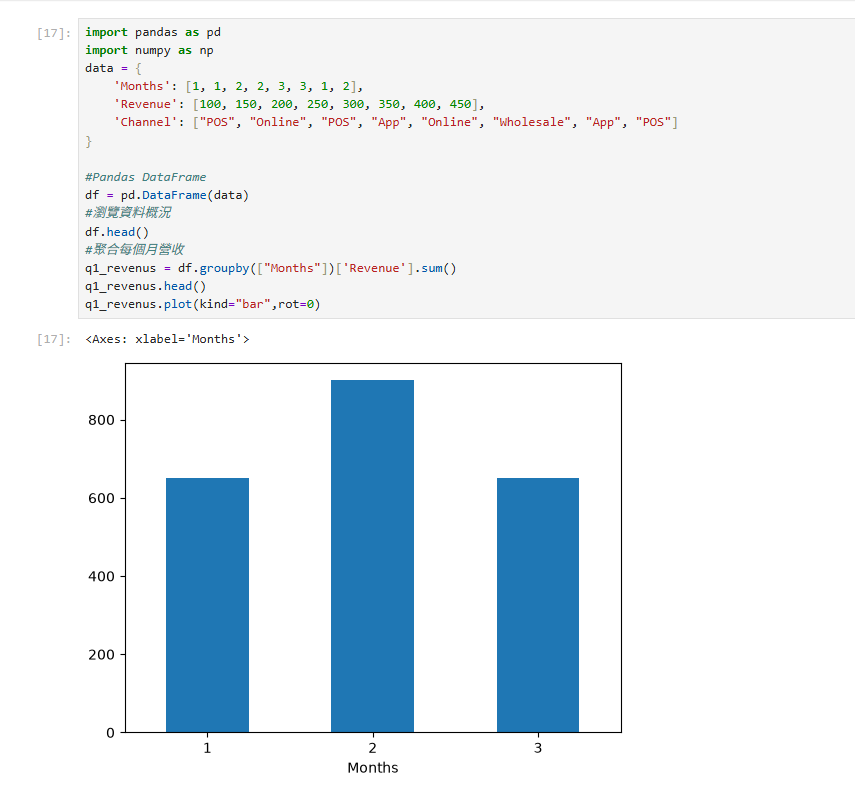
Here’s the result using a standard Pandas workflow to transform and display the data:
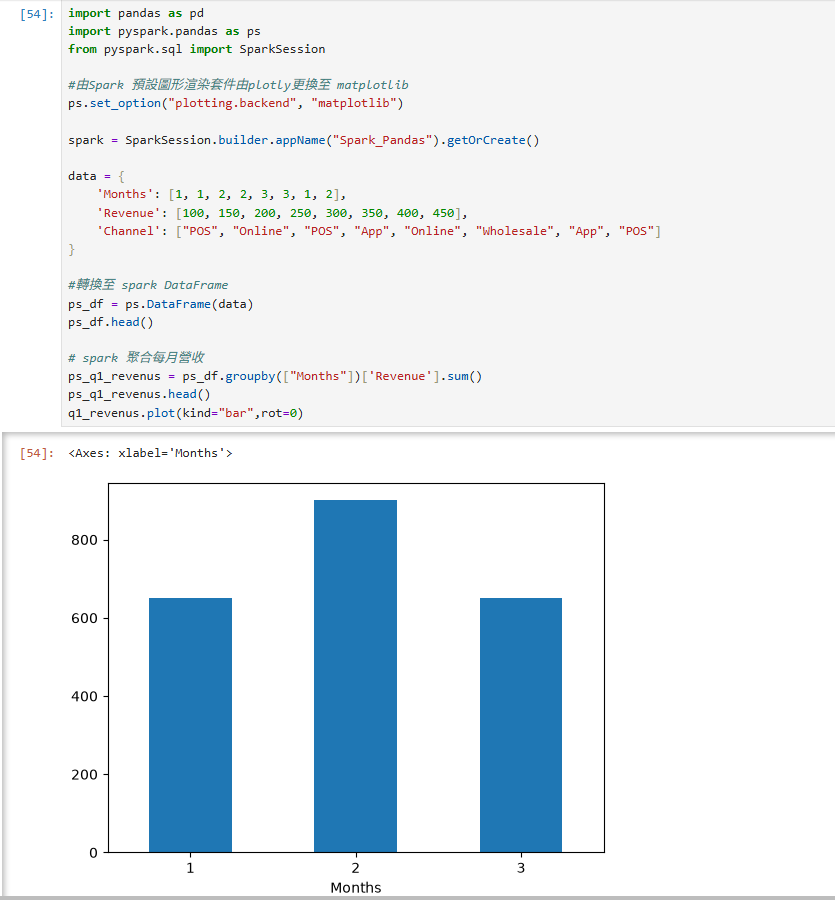
Displaying Results with a Spark DataFrame
Using the same workflow — building the dataset, aggregating, and plotting — the function calls are almost identical to what you’d write in Pandas:
Converting Between Pandas and Spark DataFrames
When converting a Spark DataFrame back to Pandas, large datasets can easily run into out-of-memory issues. It’s a good idea to sample the data down before pulling it back to the local machine, for example:
|
|
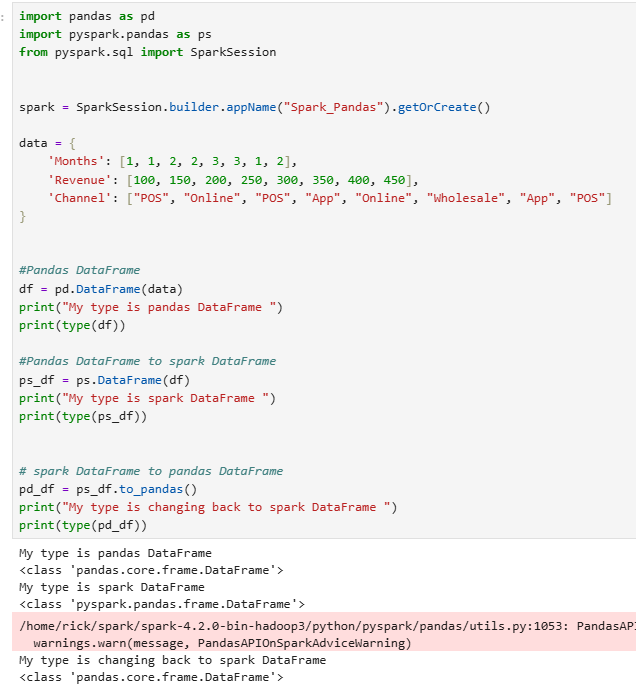
Under the pandas API on Spark, converting between the two formats is straightforward — take a look at the example below:
|
|
Closing Thoughts
This kind of two-way conversion breaks down what used to be a real pain point — having to rewrite your logic every time you switched tools. Now your development flow can scale from lightweight Pandas all the way up to Spark without any major code changes. For day-to-day work, that’s a genuinely useful improvement to have in your toolkit.